Tuesday, 18 November 2025

How To Stop Persistent Card Testing Attacks on a WooCommerce Store

Card testing attacks are a growing threat for online stores. Even when fraudulent transactions are blocked by the payment processor, the attack traffic can still overwhelm a site with failed checkout attempts and fake orders.

This guide outlines an effective method to stop persistent card testing attacks on WooCommerce entirely — preventing bots from reaching the checkout process or generating unwanted orders.

The approach uses built-in WordPress and WooCommerce hooks, requires no paid security plugins, and maintains full compatibility with legitimate checkout activity.

What Are Card Testing Attacks?

A card testing attack occurs when fraudsters use automated bots to test stolen or generated credit card numbers on ecommerce checkout pages.

The goal is to find valid cards that can later be used for larger purchases elsewhere.

Common symptoms of card testing attacks include:

  • A sudden surge in failed transactions
  • Orders appearing with “Origin: Unknown”
  • Checkout requests from foreign or suspicious IP addresses
  • Repeated small-value transactions occurring in rapid succession

Even if the payment gateway declines each attempt, WooCommerce may still create a failed order entry for every submission, filling up the Orders list and generating unnecessary load on the site.

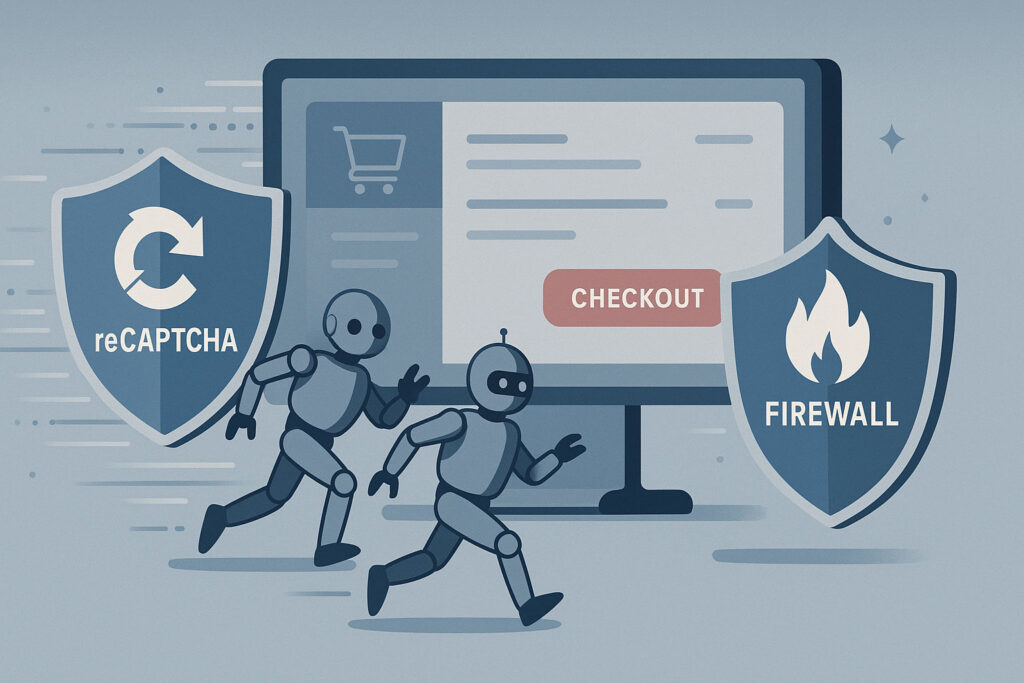
Illustration showing bots bypassing reCAPTCHA and firewall protections to reach an online checkout page, representing how traditional website security fails to stop WooCommerce card testing attacks.

Why Common Protections Don’t Work

Most store owners try to mitigate these attacks using CAPTCHAs, honeypots, or firewall plugins. While those tools can reduce spam, they rarely stop bots that target WooCommerce’s backend checkout endpoints directly.

WooCommerce’s AJAX and REST API endpoints are public by design and handle legitimate transactions. These include URLs such as:

/?wc-ajax=checkout
/wp-json/wc/store/checkout
/wp-json/wc/v3/orders

Attackers can exploit these endpoints to send checkout requests programmatically — without ever visiting the actual checkout page.

Step 1: Restrict Unauthenticated Access to the WooCommerce REST API

The first and most effective step is to prevent unauthenticated users from accessing WooCommerce REST API routes. This stops bots from directly posting fake orders to endpoints like /wp-json/wc/v3/orders.

Add this code snippet to your theme’s functions.php file or a small site-specific plugin:

add_filter( 'rest_authentication_errors', function( $result ) {
    if ( true === $result || is_wp_error( $result ) ) {
        return $result;
    }

    if ( ! is_user_logged_in() ) {
        return new WP_Error(
            'rest_not_logged_in',
            __( 'REST API restricted to authenticated users.' ),
            [ 'status' => 401 ]
        );
    }

    return $result;
});

Why this works

This filter ensures that only authenticated users can access WooCommerce’s REST API endpoints. Bots and unauthorized scripts that attempt to post directly to the API will receive a 401 Unauthorized response before WooCommerce ever processes the request.

If the store allows customers to create accounts automatically during checkout, legitimate transactions continue to function normally.

Step 2: Add Server-Side Browser Verification for Checkout Requests

Some bots do not use the REST API and instead target WooCommerce’s AJAX-based checkout routes. To block these, add a lightweight browser validation layer.

Example:

add_action( 'init', function() {
    if ( isset( $_SERVER['REQUEST_URI'] ) && strpos( $_SERVER['REQUEST_URI'], 'wc-ajax=checkout' ) !== false ) {
        if ( empty( $_SERVER['HTTP_REFERER'] ) || empty( $_SERVER['HTTP_USER_AGENT'] ) ) {
            wp_die( 'Access denied', 'Access Denied', [ 'response' => 403 ] );
        }
    }
});

How this helps

This check ensures that any request to ?wc-ajax=checkout originates from a real browser session with valid headers. Bots that attempt to send raw HTTP POST requests without standard browser information are blocked instantly.

Step 3: Verify That the Attacks Have Stopped

After implementing the filters above:

  1. Monitor the WooCommerce Orders page — no new “Unknown origin” or fake failed orders should appear.
  2. Review the server access logs — requests to /wc-ajax=checkout or /wp-json/wc/ should return 401 or 403 errors.
  3. Confirm that legitimate transactions still complete successfully.

Within a short time, the fraudulent traffic should drop to zero.

Step 4: Maintain Normal Checkout Functionality

These security measures operate behind the scenes and do not interfere with normal customers.

Genuine shoppers can browse, add products to their cart, and complete purchases as usual. The added checks only block automated, non-browser requests that attempt to simulate a checkout submission.

Results

Implementing both authentication and browser verification filters completely stopped the card testing attempts.

  • No more fake or “unknown” orders appeared in WooCommerce.
  • Checkout performance remained unaffected for legitimate users.
  • Attack traffic to checkout endpoints was blocked at the server level.

This solution works entirely through native WordPress and WooCommerce functionality and does not rely on external security services.

Why This Solution Is Effective

  • Blocks fraudulent bots before WooCommerce processes the request
  • Prevents fake orders from appearing in the dashboard
  • Lightweight and compatible with all hosting environments
  • No additional plugins or subscriptions required
  • Invisible to legitimate users

Conclusion

Card testing attacks exploit open checkout endpoints to flood ecommerce sites with fake transactions. By restricting access to the WooCommerce REST API and validating AJAX checkout requests, it’s possible to stop these attacks entirely — before they ever reach the payment gateway.

This approach provides a practical, cost-free, and long-term fix for any WooCommerce store facing persistent card testing attempts.

Disclaimer

All code examples and configurations provided in this article are for educational purposes only. They should be thoroughly tested in a staging or development environment before being applied to a live website. No responsibility is assumed for any issues, errors, or damages that may result from using the code or techniques described here.


source https://alkalyne.com/blog/woocommerce-card-testing-attack-prevention/

Tuesday, 4 November 2025

How To Stop Persistent Card Testing Attacks on a WooCommerce Store

Card testing attacks are a growing threat for online stores. Even when fraudulent transactions are blocked by the payment processor, the attack traffic can still overwhelm a site with failed checkout attempts and fake orders.

This guide outlines an effective method to stop persistent card testing attacks on WooCommerce entirely — preventing bots from reaching the checkout process or generating unwanted orders.

The approach uses built-in WordPress and WooCommerce hooks, requires no paid security plugins, and maintains full compatibility with legitimate checkout activity.

What Are Card Testing Attacks?

A card testing attack occurs when fraudsters use automated bots to test stolen or generated credit card numbers on ecommerce checkout pages.

The goal is to find valid cards that can later be used for larger purchases elsewhere.

Common symptoms of card testing attacks include:

  • A sudden surge in failed transactions
  • Orders appearing with “Origin: Unknown”
  • Checkout requests from foreign or suspicious IP addresses
  • Repeated small-value transactions occurring in rapid succession

Even if the payment gateway declines each attempt, WooCommerce may still create a failed order entry for every submission, filling up the Orders list and generating unnecessary load on the site.

Illustration showing bots bypassing reCAPTCHA and firewall protections to reach an online checkout page, representing how traditional website security fails to stop WooCommerce card testing attacks.

Why Common Protections Don’t Work

Most store owners try to mitigate these attacks using CAPTCHAs, honeypots, or firewall plugins. While those tools can reduce spam, they rarely stop bots that target WooCommerce’s backend checkout endpoints directly.

WooCommerce’s AJAX and REST API endpoints are public by design and handle legitimate transactions. These include URLs such as:

/?wc-ajax=checkout
/wp-json/wc/store/checkout
/wp-json/wc/v3/orders

Attackers can exploit these endpoints to send checkout requests programmatically — without ever visiting the actual checkout page.

Step 1: Restrict Unauthenticated Access to the WooCommerce REST API

The first and most effective step is to prevent unauthenticated users from accessing WooCommerce REST API routes. This stops bots from directly posting fake orders to endpoints like /wp-json/wc/v3/orders.

Add this code snippet to your theme’s functions.php file or a small site-specific plugin:

add_filter( 'rest_authentication_errors', function( $result ) {
    if ( true === $result || is_wp_error( $result ) ) {
        return $result;
    }

    if ( ! is_user_logged_in() ) {
        return new WP_Error(
            'rest_not_logged_in',
            __( 'REST API restricted to authenticated users.' ),
            [ 'status' => 401 ]
        );
    }

    return $result;
});

Why this works

This filter ensures that only authenticated users can access WooCommerce’s REST API endpoints. Bots and unauthorized scripts that attempt to post directly to the API will receive a 401 Unauthorized response before WooCommerce ever processes the request.

If the store allows customers to create accounts automatically during checkout, legitimate transactions continue to function normally.

Step 2: Add Server-Side Browser Verification for Checkout Requests

Some bots do not use the REST API and instead target WooCommerce’s AJAX-based checkout routes. To block these, add a lightweight browser validation layer.

Example:

add_action( 'init', function() {
    if ( isset( $_SERVER['REQUEST_URI'] ) && strpos( $_SERVER['REQUEST_URI'], 'wc-ajax=checkout' ) !== false ) {
        if ( empty( $_SERVER['HTTP_REFERER'] ) || empty( $_SERVER['HTTP_USER_AGENT'] ) ) {
            wp_die( 'Access denied', 'Access Denied', [ 'response' => 403 ] );
        }
    }
});

How this helps

This check ensures that any request to ?wc-ajax=checkout originates from a real browser session with valid headers. Bots that attempt to send raw HTTP POST requests without standard browser information are blocked instantly.

Step 3: Verify That the Attacks Have Stopped

After implementing the filters above:

  1. Monitor the WooCommerce Orders page — no new “Unknown origin” or fake failed orders should appear.
  2. Review the server access logs — requests to /wc-ajax=checkout or /wp-json/wc/ should return 401 or 403 errors.
  3. Confirm that legitimate transactions still complete successfully.

Within a short time, the fraudulent traffic should drop to zero.

Step 4: Maintain Normal Checkout Functionality

These security measures operate behind the scenes and do not interfere with normal customers.

Genuine shoppers can browse, add products to their cart, and complete purchases as usual. The added checks only block automated, non-browser requests that attempt to simulate a checkout submission.

Results

Implementing both authentication and browser verification filters completely stopped the card testing attempts.

  • No more fake or “unknown” orders appeared in WooCommerce.
  • Checkout performance remained unaffected for legitimate users.
  • Attack traffic to checkout endpoints was blocked at the server level.

This solution works entirely through native WordPress and WooCommerce functionality and does not rely on external security services.

Why This Solution Is Effective

  • Blocks fraudulent bots before WooCommerce processes the request
  • Prevents fake orders from appearing in the dashboard
  • Lightweight and compatible with all hosting environments
  • No additional plugins or subscriptions required
  • Invisible to legitimate users

Conclusion

Card testing attacks exploit open checkout endpoints to flood ecommerce sites with fake transactions. By restricting access to the WooCommerce REST API and validating AJAX checkout requests, it’s possible to stop these attacks entirely — before they ever reach the payment gateway.

This approach provides a practical, cost-free, and long-term fix for any WooCommerce store facing persistent card testing attempts.

Disclaimer

All code examples and configurations provided in this article are for educational purposes only. They should be thoroughly tested in a staging or development environment before being applied to a live website. No responsibility is assumed for any issues, errors, or damages that may result from using the code or techniques described here.


source https://alkalyne.com/blog/how-to-stop-persistent-card-testing-attacks-on-a-woocommerce-store/

Thursday, 19 June 2025

Cut the Fluff: How Small Businesses Can Actually Win with AI and Automation in 2025

Let’s face it – if you own a small business, you’ve probably been bombarded with AI advice that sounds more like science fiction than something you can actually use. “Leverage machine learning to revolutionize your business!” Great… but how exactly is my three-person shop supposed to do that between handling inventory, managing social media, and actually serving customers?

As someone who works with small businesses and local agencies every day, I’m tired of the fluff. So let’s cut through the noise and talk about what AI and automation can realistically do for your small business in 2025 – without requiring a data science degree or venture capital funding.

The Problem with Most AI Advice for Small Businesses

Most AI advice falls into two categories:

  • So technical that you’d need to hire a specialist you can’t afford
  • So vague that you have no idea how to implement it

Neither helps you run your business better tomorrow. What you need are specific applications that:

  • Don’t require massive upfront investment
  • Show ROI quickly
  • Can be implemented without disrupting your daily operations
  • Actually solve problems you have (not problems some tech bro thinks you should have)
split image of a man comparing running his business with AI integrations vs. without

AI Applications That Actually Move the Needle for Small Businesses

1. Customer Service That Works While You Sleep

One of the most immediate wins for small businesses is in customer service automation. According to recent research, AI-powered chatbots can now:

  • Provide 24/7 customer support (something impossible for most small teams)
  • Answer up to 80% of frequently asked questions without human intervention
  • Handle simple transactions and appointment scheduling

This isn’t about replacing your personal touch – it’s about extending it. When your coffee shop’s chatbot can tell customers your hours, confirm reservations, or explain your sourcing while you’re focused on other tasks, that’s a win.

I’ve helped businesses transform their customer service with AI chatbots that handle reservation inquiries and basic questions, saving them 15+ hours weekly in communication management. Imagine what your restaurant could accomplish with that extra time! This strategic automation is exactly what I bring to businesses like yours—streamlining customer interactions while freeing up your team to focus on what truly matters. Want to see how AI can revolutionize your customer service? Let’s chat about your specific needs.

2. Inventory Management That Predicts What You Need

For retail and product-based businesses, inventory management might be the killer app for AI in 2025. New systems can:

  • Automate up to 70% of inventory management tasks
  • Predict demand fluctuations with 95% accuracy
  • Optimize delivery routes by 20%

What does this mean in practice? You’re less likely to run out of bestsellers or get stuck with excess inventory you can’t move. Your cash flow improves because you’re buying what you need when you need it.

A sporting goods client I work with implemented an AI inventory system last quarter and has already seen a 32% reduction in out-of-stock incidents and a 17% decrease in excess inventory costs.

3. Local SEO That Actually Brings In Local Customers

If you’re a local business, showing up in local searches isn’t optional – it’s survival. AI tools have made massive strides in local SEO optimization that actually work:

  • Automated review response systems that maintain your reputation while saving you time
  • Content optimization tools that identify local-intent keywords your competitors are missing
  • Predictive analytics that show you when local customers are searching for your services

The key is focusing on tools that deliver specific local SEO benefits rather than general “AI marketing” platforms. For example, a landscaping company I work with uses AI to analyze seasonal search patterns in their service area, allowing them to adjust their content calendar for maximum visibility when homeowners are actually looking for their services.

image_2

4. Personalization That Doesn’t Require Stalking Your Customers

Personalization has been the marketing buzzword for years, but most small businesses lack the data infrastructure to implement it effectively. That’s changing with new AI tools that:

  • Create dynamic email content based on simple customer segments
  • Personalize website experiences based on visit frequency and behavior
  • Generate customized social media ad variations without needing a design team

A boutique clothing store I advise implemented AI-powered email personalization last month and saw open rates increase by 34% and conversion rates jump by 22% – all without collecting any additional customer data or spending more on their email platform.

Implementation Without the Headache: How to Actually Get Started

Here’s where most advice articles drop the ball – they tell you what’s possible without explaining how to make it happen. Let’s fix that with some practical next steps:

Start With One Problem Area

Don’t try to automate everything at once. Pick the area that’s causing the most pain:

  • Too much time answering the same customer questions? Start with a chatbot.
  • Constantly running out of inventory? Focus on predictive ordering.
  • Can’t keep up with competitors in local search? Prioritize AI-powered local SEO.

Use Ready-Made Solutions, Not Custom Development

Unless you’re sitting on a massive budget, custom AI development isn’t the answer. Look for:

  • Industry-specific SaaS platforms that already include AI features
  • Plugins and extensions for your existing systems
  • Template-based solutions you can configure without coding

Set Realistic Expectations on Timeline and Results

AI isn’t magic. Expect:

  • 1-3 months to see meaningful results from most implementations
  • Some trial and error in configuration
  • The need for occasional human oversight and tweaking
image_3

How to Measure If Your AI Investments Are Actually Working

If you can’t measure it, you can’t manage it. For each AI implementation, set specific metrics:

  • Customer service automation: Track response time reduction, customer satisfaction scores, and hours saved
  • Inventory management: Measure stockout reduction, inventory carrying cost changes, and cash flow improvement
  • Local SEO: Monitor local pack appearances, direction requests, and location-specific conversion rates
  • Personalization: Compare engagement and conversion rates between personalized and generic content

Common Pitfalls to Avoid

I’ve seen plenty of small businesses trip up when implementing AI solutions. Watch out for:

  • Solutions that require more data than you actually have
  • Tools that need constant technical babysitting
  • Platforms that charge based on usage without clear caps (budget surprises are never fun)
  • Implementations that remove the human touch from sensitive customer interactions

The Bottom Line: Practical Wins Over Perfect

The small businesses I see succeeding with AI in 2025 aren’t the ones with the most advanced technology – they’re the ones applying simple, effective automation to their biggest pain points.

Remember that AI should serve your business goals, not the other way around. The best implementation is one that solves real problems, shows measurable results, and frees you up to focus on the parts of your business that need your human touch.

If you’re ready to cut through the AI fluff and implement practical solutions that drive real results for your small business, let’s talk. I work with businesses of all sizes to identify the right automation strategies that deliver ROI without the headache.

What’s your biggest business challenge that might benefit from practical AI implementation? Drop me a line, and let’s explore solutions that actually work for your situation.


source https://alkalyne.com/blog/cut-the-fluff-how-small-businesses-can-actually-win-with-ai-and-automation-in-2025/

Tuesday, 17 June 2025

Stop Wasting Time: Everyday Tasks You Can (and Should) Automate in Your Business

The Hidden Cost of “Just Doing It Yourself”

Let me ask you something: How much of your day is spent on tasks that feel like they’re stealing time from what you actually want to be doing in your business?

If you’re like most small business owners I work with, the answer is probably “way too much.” You’re copying and pasting information between systems, manually following up with leads, or spending hours on social media when you should be focused on growth.

I see it all the time. Business owners who started their company to pursue a passion end up drowning in admin work instead. You didn’t launch your business to become a professional email-sender or data-entry specialist, did you?

Here’s the truth: every minute spent on repetitive tasks is a minute not spent on strategy, client relationships, or innovation. And those minutes add up—fast.

The Automation Revolution Isn’t Just for Big Business

The good news? You don’t need an enterprise budget or an IT department to automate your business processes. What used to require custom programming and expensive consultants can now be set up in days (sometimes hours) with the right approach.

At Alkalyne Solutions, I’ve helped dozens of small businesses reclaim their time through strategic automation. The results speak for themselves:

  • A local restaurant owner who got back 15 hours per week by automating reservation management and follow-ups
  • A boutique retail shop that increased sales by 22% by automating their inventory alerts and customer communications
  • A service business that cut administrative costs by 30% through automated billing and scheduling

Let’s dive into the everyday tasks you can (and absolutely should) take off your plate through automation.

7 Time-Draining Tasks You Can Automate Today

1. Lead Capture and Follow-Up

How many potential customers have slipped through the cracks because you were too busy to follow up promptly? Studies show that businesses that respond to inquiries within 5 minutes are 100 times more likely to connect with a prospect than those who wait just 30 minutes.

What you can automate:

  • Instant responses to contact form submissions
  • Lead qualification and routing
  • Personalized follow-up sequences based on prospect behavior
  • Reminder notifications for sales team follow-ups

Time saved: 5-10 hours per week for the average small business

2. Appointment Scheduling

The back-and-forth email dance to find a meeting time is one of the most unnecessary time-wasters in business today.

What you can automate:

  • Client booking through self-service calendars
  • Appointment reminders and confirmations
  • Rescheduling requests
  • Post-appointment follow-ups

Time saved: 3-7 hours per week

3. Email Marketing Campaigns

Email remains one of the highest-ROI marketing channels, but manually sending emails is neither scalable nor effective.

What you can automate:

  • Welcome sequences for new subscribers
  • Abandoned cart recovery
  • Re-engagement campaigns for inactive customers
  • Content delivery based on customer behavior
  • Birthday and anniversary messages

Time saved: 4-8 hours per week

4. Invoicing and Payment Collection

Late payments hurt your cash flow, and chasing payments is both awkward and time-consuming.

What you can automate:

  • Invoice generation and delivery
  • Payment reminders
  • Receipt generation
  • Expense categorization
  • Financial reporting

Time saved: 3-5 hours per week plus improved cash flow

5. Internal Notifications and Team Updates

Communication breakdowns waste time and create frustration. Automation can keep everyone in the loop without constant meetings.

What you can automate:

  • Project milestone notifications
  • Task assignments and reminders
  • Deadline alerts
  • Process status updates
  • Important document sharing

Time saved: 2-4 hours per week with fewer misunderstandings

save time by automating repetitive business tasks

6. Social Media Management

Social media is essential for most businesses today, but it’s also a notorious time-sink.

What you can automate:

  • Content scheduling across platforms
  • Reposting of evergreen content
  • Social listening and brand mentions
  • Basic engagement responses
  • Performance reporting

Time saved: 5-10 hours per week

7. Data Entry and Cross-Platform Syncing

Manually copying information between your various business systems is not just tedious—it’s a recipe for errors.

What you can automate:

  • Customer data syncing between CRM and marketing platforms
  • Inventory updates across sales channels
  • Website form submissions to your database
  • New customer onboarding workflows
  • Document generation from database information

Time saved: 4-8 hours per week with improved accuracy

Real Results: How Automation Transformed These Businesses

Case Study: The Time-Starved Service Provider

One of my clients, a home service business with 12 employees, was spending over 20 hours weekly just managing their scheduling, follow-ups, and invoicing. Their growth had plateaued not because of market demand, but because the owner simply couldn’t handle more administrative work.

We implemented a custom automation solution that connected their booking system, CRM, and accounting software. The results?

  • Administrative work reduced by 75%
  • Customer satisfaction improved due to faster response times
  • Owner reclaimed 15+ hours weekly to focus on business development
  • Revenue increased by 35% within six months

The owner’s comment says it all: “I finally feel like I own a business instead of the business owning me.”

Case Study: The Overwhelmed Retailer

Another client, a specialty retailer with both online and physical presence, was struggling to maintain consistent inventory updates and customer communications across channels.

We built automated workflows that synchronized their in-store POS, e-commerce platform, and marketing systems. The impact:

  • Zero inventory discrepancies between online and in-store
  • 28% reduction in abandoned carts through automated follow-up
  • 40% increase in repeat purchases via targeted, automated campaigns
  • Staff hours redirected from data entry to customer service
artificial intelligence allows people to reclaim time in their life

How to Identify Your Automation Opportunities

Not sure where to start with business automation? Here’s a simple process I use with my clients:

  1. Track your time for one week. What repetitive tasks are eating up your hours?
  2. Look for these automation indicators:
  • Tasks you do 3+ times per week
  • Processes requiring the same information in multiple places
  • Follow-ups that frequently fall through cracks
  • Workflows involving multiple team members
  • Customer touchpoints that feel rushed or inconsistent
  1. Calculate the potential ROI:
  • How many hours would you save monthly?
  • What’s the value of those hours if invested elsewhere?
  • What’s the cost of errors or delays in your current process?
  1. Start small and build momentum: Don’t try to automate everything at once. Begin with one high-impact workflow, perfect it, then expand to the next priority.

The Human Touch: What You Shouldn’t Automate

Automation isn’t about removing the human element from your business—it’s about enhancing it. There are certain aspects of your business that should remain personal:

  • Complex customer problem resolution
  • Strategic client consultations
  • Creative work and innovation
  • Relationship-building conversations
  • Sensitive feedback discussions

The goal is to automate the routine so you can be more present and engaged in these high-value interactions.

How We Help Small Businesses Automate at Alkalyne Solutions

At Alkalyne Solutions, I specialize in designing custom automation solutions for small businesses without the enterprise price tag. Unlike generic automation templates, we focus on your specific workflows and business goals.

Our process is straightforward:

  1. Discovery: We map your current workflows and identify the highest-impact automation opportunities.
  2. Design: We create a custom automation strategy that connects your existing systems.
  3. Implementation: We build and test your automated workflows, ensuring seamless operation.
  4. Training: We make sure you and your team are comfortable managing the new systems.
  5. Optimization: We monitor performance and continuously refine your automation for maximum impact.

The best part? Most clients see positive ROI within the first month as time savings translate directly to improved productivity and growth.

Ready to Take Back Your Time?

If you’re tired of spending your days on tasks that could be automated, let’s talk. I offer free 30-minute automation assessments for small business owners where we’ll identify at least three specific processes you could automate for immediate time savings.

Book your free assessment or email me directly at hello@alkalyne.com.

Stop wasting time on repetitive tasks—and start focusing on what actually grows your business.

What’s the first task you’re hoping to automate in your business? Drop a comment below, and I’ll share some specific suggestions!


source https://alkalyne.com/blog/stop-wasting-time-everyday-tasks-you-can-and-should-automate-in-your-business/

Friday, 6 June 2025

Ready or Not, AI Ads Are Coming: What Small Businesses Need to Know for 2025

The AI Advertising Revolution Is Here

If you’ve been watching the digital marketing landscape lately, you’ve probably noticed something significant: AI isn’t just coming to advertising—it’s already transforming it. For small business owners, this shift represents both an opportunity and a challenge that can’t be ignored.

As of 2024, a staggering 77% of small businesses have integrated some form of AI into their operations. Those who haven’t are quickly finding themselves at a competitive disadvantage. The days of manually tweaking ad copy, guessing at audience segments, and hoping for the best are rapidly becoming relics of the past.

But here’s the good news: you don’t need the resources of a Fortune 500 company to harness the power of AI advertising. With the right knowledge and strategic approach, small businesses can not only adapt to this new reality but thrive in it.

What’s Different About AI-Powered Advertising?

Traditional digital advertising has always been somewhat data-driven, but AI advertising takes this to an entirely new level. Here’s what makes it fundamentally different:

1. Hyper-Personalization at Scale

AI doesn’t just segment audiences—it creates individualized experiences for each potential customer. By analyzing thousands of data points across user behavior, preferences, and engagement patterns, AI systems can now create uniquely tailored ad experiences that would be impossible to replicate manually.

This means your small business can deliver messaging that resonates with each customer’s specific needs and pain points, dramatically increasing conversion rates and customer satisfaction.

2. Predictive Instead of Reactive

Traditional advertising looks backward at what worked before. AI advertising looks forward, predicting customer needs and behaviors before they happen. In 2025, predictive analytics have become sophisticated enough that AI systems can identify potential customers before they’ve even expressed explicit interest in your products or services.

3. Continuous Optimization Without Human Intervention

Perhaps most importantly, AI advertising platforms are constantly learning and improving. While you sleep, these systems run thousands of micro-tests, analyzing which variations perform best and automatically shifting budget toward winning combinations.

image_1

Key AI Advertising Technologies Small Businesses Need to Understand

Dynamic Content Creation

Gone are the days of creating dozens of ad variations manually. AI content creation tools have matured significantly, allowing small businesses to generate hundreds of personalized headlines, descriptions, and creative elements automatically.

Platforms like Meta and Google Ads now offer AI-driven creative suggestions that can dramatically improve performance with minimal effort. These systems analyze your website content, customer data, and industry benchmarks to recommend high-converting copy and creative elements.

Advanced Audience Targeting

AI has revolutionized how businesses identify and reach potential customers. Rather than relying on broad demographic targeting, AI systems can now:

  • Identify patterns in user behavior that indicate purchase intent
  • Create “lookalike” audiences with unprecedented accuracy
  • Predict customer lifetime value before conversion
  • Target based on sentiment and emotional states

Recommendation Engines

If you’ve used platforms like Amazon or Netflix, you’re familiar with recommendation engines. Now, these same technologies are available to small businesses for advertising purposes. These systems ensure customers see products they’re most likely to purchase, increasing both satisfaction and conversion rates.

For small businesses with limited marketing budgets, this means every ad dollar goes further by targeting only the most promising prospects with the most relevant offers.

Sentiment Analysis

Understanding how customers feel about your brand has always been valuable but difficult to measure at scale. AI-powered sentiment analysis tools can now monitor social media, review sites, and even email communications to gauge customer emotions and adapt your messaging accordingly.

This allows small businesses to address potential issues before they become problems and capitalize on positive sentiment when it arises.

Challenges Small Businesses Face with AI Advertising

While the benefits are compelling, implementing AI advertising isn’t without challenges:

1. The Knowledge Gap

Many small business owners feel intimidated by AI terminology and concepts. This knowledge gap can lead to hesitation in adoption, even when the benefits are clear.

2. Data Quality and Quantity

AI systems require data to learn and improve. Small businesses sometimes lack the robust data sets needed for optimal AI performance, especially when just getting started.

3. Maintaining Authentic Connections

As advertising becomes more automated, there’s a risk of losing the authentic human connection that many small businesses consider their competitive advantage. Finding the right balance between automation and personalization is crucial.

4. Privacy and Ethical Considerations

With increasing concerns about data privacy, small businesses must navigate complex regulations while still leveraging customer data effectively.

image_2

Practical Steps to Prepare Your Small Business for AI Advertising

Start Small and Focus on One Challenge

Rather than attempting to overhaul your entire advertising strategy overnight, identify one specific challenge that AI could help solve. Perhaps it’s managing online reviews, optimizing email engagement, or improving social media ad performance.

Starting with a focused application allows you to see concrete results quickly while building organizational confidence in AI solutions. For example, implementing a simple chatbot to handle basic customer inquiries can free up valuable time while providing immediate value.

Audit Your Data Infrastructure

Before diving into advanced AI advertising, take stock of your current data collection and management practices:

  • Are you tracking customer interactions across all touchpoints?
  • Is your CRM data clean, updated, and properly structured?
  • Do you have consent to use customer data for advertising purposes?
  • Have you integrated analytics across your website, social platforms, and advertising accounts?

Addressing these fundamentals will set you up for success when implementing more sophisticated AI advertising tools. For more insights on website performance optimization, check out our guide on essential website must-haves for small businesses.

Invest in Learning and Training

The businesses seeing the greatest success with AI advertising are those that view it as a complementary skill set rather than a replacement for marketing expertise. Consider:

  • Dedicating time to online courses about AI marketing
  • Attending webinars hosted by platforms like Google and Meta
  • Setting aside budget for staff training on AI tools
  • Following thought leaders in the AI marketing space

Test, Measure, and Iterate

AI thrives on feedback loops. Implement testing protocols to measure the impact of your AI advertising initiatives:

  1. Set clear baseline metrics before implementation
  2. Create control groups when possible
  3. Use A/B testing to compare AI-generated content against human-created content
  4. Define success metrics beyond just clicks and impressions
  5. Document lessons learned for future initiatives

Tools like Adobe Target can help streamline this testing process, making it accessible even for small businesses with limited resources.

image_3

Real-World Applications for Small Businesses in 2025

Local Service Businesses

For service-based businesses relying on local customers, AI advertising has transformed local search strategy. AI-powered local ads can now:

  • Dynamically adjust bidding based on weather conditions (promoting emergency services during storms, for example)
  • Target customers based on their proximity to your business in real-time
  • Automatically highlight services relevant to seasonal needs

For more information on optimizing your local presence, check out our comprehensive guide on local SEO basics.

E-commerce Retailers

Small online retailers are leveraging AI to compete with larger platforms by:

  • Creating dynamic product bundles based on browsing behavior
  • Automatically adjusting pricing based on demand signals
  • Personalizing product descriptions to match individual customer preferences
  • Optimizing ad delivery timing based on previous purchase patterns

Professional Services

Consultants, attorneys, financial advisors, and other professional service providers are using AI advertising to:

  • Target potential clients at specific stages of decision-making
  • Deliver educational content relevant to individual business challenges
  • Adjust messaging based on industry-specific economic indicators
  • Highlight specialized expertise based on prospect company profiles

Where to Start: Essential AI Advertising Tools for Small Businesses

If you’re ready to take the plunge into AI advertising, here are some accessible entry points:

1. Google’s Performance Max Campaigns

Performance Max represents Google’s shift toward AI-driven campaign management. These campaigns use machine learning to place your ads across Google’s entire ecosystem, including Search, Display, YouTube, Gmail, and Maps.

Small businesses can start with relatively modest budgets while leveraging Google’s massive data advantages. The platform automatically optimizes for conversions based on your business goals.

2. Meta’s Advantage+ Shopping Campaigns

For e-commerce businesses, Meta’s Advantage+ Shopping campaigns use AI to automate audience targeting, placement, and even creative aspects of your ads. The system dynamically adjusts to find the best-performing combinations, often achieving better results than manually managed campaigns.

3. AI-Powered Copywriting Tools

Tools like Jasper, Copy.ai, and others can help small businesses generate ad copy variations at scale. While human oversight remains important for brand voice consistency, these tools can dramatically speed up the creative process and suggest approaches you might not have considered.

4. Customer Data Platforms (CDPs)

More accessible than ever for small businesses, CDPs help unify customer data from multiple sources, creating the foundation needed for effective AI advertising. Look for solutions specifically designed for small business budgets and needs.

The Human Element: What AI Can’t Replace

With all the excitement around AI advertising, it’s worth noting what remains uniquely human. Effective advertising still requires:

  • Brand vision and values that resonate with customers
  • Creative storytelling that creates emotional connections
  • Ethical judgment about how to use customer data
  • Strategic decisions about business goals and positioning

The most successful small businesses in 2025 are those that leverage AI to handle repetitive, data-intensive tasks while focusing human creativity and attention on these strategic elements.

For insights on maintaining authentic connections with your audience, read our article on how to get more 5-star reviews without annoying your customers.

Conclusion: Embracing the AI Advertising Future

The shift to AI-powered advertising isn’t just another incremental change in digital marketing—it represents a fundamental transformation in how businesses connect with customers. For small businesses, the playing field is actually becoming more level as AI tools make sophisticated marketing techniques accessible without enterprise-level resources.

The businesses that thrive won’t necessarily be those with the biggest budgets, but rather those that most effectively blend AI capabilities with authentic human connections. By starting small, focusing on practical applications, and continuously learning, small businesses can not only survive but thrive in the new AI advertising landscape.

Ready to explore how AI advertising can transform your small business marketing? Contact Alkalyne Solutions for a practical assessment of your current strategy and personalized recommendations for integrating AI advertising tools.


source https://alkalyne.com/blog/ai-ads-2025-small-business-guide/

5 Questions to Ask When Choosing a White-Label SEO Partner for Your Agency

Choosing a white-label SEO partner isn’t just a check-the-box item for agency owners—it’s the backbone of how you scale digital services, keep your clients happy, and protect your hard-won reputation. Over my years working side-by-side with agencies (sometimes rescuing projects after a rushed vendor choice), I’ve seen first-hand just how important this decision is. The right partnership smooths everything out. The wrong one? Months of headaches and strained client calls.

Top view of a team collaborating on marketing strategy and analysis papers.

1. What’s Their Real Track Record?

Not all SEO providers are created equal. Some hand you Cookie Cutter Package A and disappear until next month’s invoice. An actual partnership means seeing proof that they deliver results for clients just like yours. Key things I always dig for—and you should too:

  • Can they share testimonials directly from agency partners who also value transparency and hands-on support?
  • Do they have experience in your vertical or types of campaigns (local SEO, e-commerce, lead generation)? Ask for before/after ranking examples or traffic lifts.
  • Are the reviews recent, consistent, and authentic—not just generic praise?

If you’re an agency working with local dentists, real estate pros, or service businesses, the SEO partner should have wins to show for those segments. Don’t settle for vague references or outdated stats—honest partners are proud to show their work, and the best even let you speak to past agency clients who can vouch for accountability and communication style.

Diverse team members collaborating on a project indoors with laptops.

2. How Transparent Are Their Processes and Communication?

You’re trusting someone else to handle YOUR client’s reputation in the search results. No black boxes. No surprises. I always recommend agencies ask these:

  • How often is reporting delivered? Is it monthly, or do they provide progress snapshots mid-campaign?
  • How deep do reports go? Are they just sending rankings, or is there an ongoing strategy narrative that tells the story for your client?
  • What’s their preferred communication style (Slack, email, scheduled calls)? Are you left out of the loop, or do you always know what’s happening?
  • What’s their approach to managing campaigns—do you get a dedicated point of contact, or are you just another ticket in a big queue?

At Alkalyne Solutions, for example, I make it a point to overcommunicate. You’ll never guess what’s being worked on or wonder who’s accountable for deliverables. That’s the difference between a vendor and a true partner.

3. Can They Scale with Your Agency’s Growth—Without Compromising Quality?

I see a lot of agency leaders hesitate here: “What if we land a major client or expand across markets? Will our partner keep up?” It’s a fair concern—when your white-label partner is stretched thin, mistakes start showing up on reports and your own team ends up firefighting.

Ask upfront:

  • How do they handle onboarding bursts or seasonal spikes? What’s the typical turnaround on new sites or campaigns?
  • Do they use freelancers in the background, or is the work kept in-house and consistently monitored?
  • Do they have checks in place to ensure campaign strategy and execution aren’t copy-pasted as they take on more agencies?
  • If you suddenly go from 3 sites to 30, how will their process flex—and will your level of support remain hands-on?

One telltale sign is how they answer tough scenario questions. For example, “Suppose our agency wants to introduce multilingual SEO for 10 clients—can you build that, and how would you communicate timelines and resource changes?” The details in their answer will reveal how scalable and thoughtful their process truly is.

Two women engaging in a discussion about API development processes at a whiteboard.

4. What’s Their Approach to Onboarding, Strategy, and Reporting?

The first few weeks lay the foundation for a successful SEO relationship. I encourage agencies to explore:

  • How structured is the onboarding? Is there a clear, step-by-step plan from intake to launch, or do you receive fragmented emails?
  • Will you get project timelines and audit checklists, or are you left chasing for updates?
  • Are keyword research, technical audits, and competitor analysis handled early—or do they just start “optimizing” pages blindly?
  • What do their reports actually look like (ask for anonymized samples)? Will you have visibility into traffic, rankings, link building, and actionable next steps—ideally branded for your agency?

From experience, transparent partners never hide behind SEO jargon. They offer both raw data (traffic, positions) and stories (why we made these changes, what’s next). The reporting cadence should fit your agency rhythm, not force you to adapt to theirs.

5. How Do They Handle Problems, Changes, and Honest Feedback?

Even with the best partnership, algorithm updates, ranking drops, or oddball technical issues will happen. Here’s where real partnership shows itself. If your client’s site tanks after a Core update or Google rolls out a new spam filter, what’s the plan?

Ask:

  • How quickly do they identify and communicate problems?
  • Will they proactively admit setbacks and explain fixes, or do you have to chase them for answers?
  • Do they have processes for requesting ad hoc “punch list” work (like manual penalty recovery or schema updates), or is everything locked behind limited monthly contracts?
  • What happens if a reporting mistake is caught? Do they lay out what went wrong and how they’ll prevent it, or sweep it under the rug?

If you can, look for partners who treat feedback as a growth tool, not a threat. The right partner lets you raise concerns confidently—and gives you action, not excuses.

A woman wearing glasses in a red blazer seen ordering in a bright café setting.

Bonus: My Quick Checklist for Vetting White-Label SEO Partners

  • Transparent about credentials, experience, and previous agency work
  • Clear communication style that matches your team’s needs—willing to meet on your platform, not just theirs
  • Customizable reporting, not just stock templates
  • Scalable processes that don’t compromise attention-to-detail
  • Fast to own up to issues, with a plan for improvement

Most importantly, you want someone who feels like an extension of your team. The partnership should make your agency’s life easier, instill confidence in your clients, and free up your headspace—so you can grow, not micromanage.

Ready to Find Your Ideal White-Label SEO Partner?

If you’re searching for a freelance digital marketing partner who actually picks up the phone, cares about your clients as much as you do, and delivers results you can see, let’s connect. I’m Andrew, and I genuinely enjoy working as an extension of committed agencies, not just another vendor in the shadows. Whether you’re overwhelmed and want to hand off SEO, or you need technical muscle for a complex project, let’s chat about how we can grow together—one campaign, one client, one real result at a time.


source https://alkalyne.com/blog/questions-to-ask-white-label-seo-partner/

5 Questions to Ask When Choosing a White-Label SEO Partner for Your Agency

Choosing a white-label SEO partner isn’t just a check-the-box item for agency owners—it’s the backbone of how you scale digital services, keep your clients happy, and protect your hard-won reputation. Over my years working side-by-side with agencies (sometimes rescuing projects after a rushed vendor choice), I’ve seen first-hand just how important this decision is. The right partnership smooths everything out. The wrong one? Months of headaches and strained client calls.

Top view of a team collaborating on marketing strategy and analysis papers.

1. What’s Their Real Track Record?

Not all SEO providers are created equal. Some hand you Cookie Cutter Package A and disappear until next month’s invoice. An actual partnership means seeing proof that they deliver results for clients just like yours. Key things I always dig for—and you should too:

  • Can they share testimonials directly from agency partners who also value transparency and hands-on support?
  • Do they have experience in your vertical or types of campaigns (local SEO, e-commerce, lead generation)? Ask for before/after ranking examples or traffic lifts.
  • Are the reviews recent, consistent, and authentic—not just generic praise?

If you’re an agency working with local dentists, real estate pros, or service businesses, the SEO partner should have wins to show for those segments. Don’t settle for vague references or outdated stats—honest partners are proud to show their work, and the best even let you speak to past agency clients who can vouch for accountability and communication style.

Diverse team members collaborating on a project indoors with laptops.

2. How Transparent Are Their Processes and Communication?

You’re trusting someone else to handle YOUR client’s reputation in the search results. No black boxes. No surprises. I always recommend agencies ask these:

  • How often is reporting delivered? Is it monthly, or do they provide progress snapshots mid-campaign?
  • How deep do reports go? Are they just sending rankings, or is there an ongoing strategy narrative that tells the story for your client?
  • What’s their preferred communication style (Slack, email, scheduled calls)? Are you left out of the loop, or do you always know what’s happening?
  • What’s their approach to managing campaigns—do you get a dedicated point of contact, or are you just another ticket in a big queue?

At Alkalyne Solutions, for example, I make it a point to overcommunicate. You’ll never guess what’s being worked on or wonder who’s accountable for deliverables. That’s the difference between a vendor and a true partner.

3. Can They Scale with Your Agency’s Growth—Without Compromising Quality?

I see a lot of agency leaders hesitate here: “What if we land a major client or expand across markets? Will our partner keep up?” It’s a fair concern—when your white-label partner is stretched thin, mistakes start showing up on reports and your own team ends up firefighting.

Ask upfront:

  • How do they handle onboarding bursts or seasonal spikes? What’s the typical turnaround on new sites or campaigns?
  • Do they use freelancers in the background, or is the work kept in-house and consistently monitored?
  • Do they have checks in place to ensure campaign strategy and execution aren’t copy-pasted as they take on more agencies?
  • If you suddenly go from 3 sites to 30, how will their process flex—and will your level of support remain hands-on?

One telltale sign is how they answer tough scenario questions. For example, “Suppose our agency wants to introduce multilingual SEO for 10 clients—can you build that, and how would you communicate timelines and resource changes?” The details in their answer will reveal how scalable and thoughtful their process truly is.

Two women engaging in a discussion about API development processes at a whiteboard.

4. What’s Their Approach to Onboarding, Strategy, and Reporting?

The first few weeks lay the foundation for a successful SEO relationship. I encourage agencies to explore:

  • How structured is the onboarding? Is there a clear, step-by-step plan from intake to launch, or do you receive fragmented emails?
  • Will you get project timelines and audit checklists, or are you left chasing for updates?
  • Are keyword research, technical audits, and competitor analysis handled early—or do they just start “optimizing” pages blindly?
  • What do their reports actually look like (ask for anonymized samples)? Will you have visibility into traffic, rankings, link building, and actionable next steps—ideally branded for your agency?

From experience, transparent partners never hide behind SEO jargon. They offer both raw data (traffic, positions) and stories (why we made these changes, what’s next). The reporting cadence should fit your agency rhythm, not force you to adapt to theirs.

5. How Do They Handle Problems, Changes, and Honest Feedback?

Even with the best partnership, algorithm updates, ranking drops, or oddball technical issues will happen. Here’s where real partnership shows itself. If your client’s site tanks after a Core update or Google rolls out a new spam filter, what’s the plan?

Ask:

  • How quickly do they identify and communicate problems?
  • Will they proactively admit setbacks and explain fixes, or do you have to chase them for answers?
  • Do they have processes for requesting ad hoc “punch list” work (like manual penalty recovery or schema updates), or is everything locked behind limited monthly contracts?
  • What happens if a reporting mistake is caught? Do they lay out what went wrong and how they’ll prevent it, or sweep it under the rug?

If you can, look for partners who treat feedback as a growth tool, not a threat. The right partner lets you raise concerns confidently—and gives you action, not excuses.

A woman wearing glasses in a red blazer seen ordering in a bright café setting.

Bonus: My Quick Checklist for Vetting White-Label SEO Partners

  • Transparent about credentials, experience, and previous agency work
  • Clear communication style that matches your team’s needs—willing to meet on your platform, not just theirs
  • Customizable reporting, not just stock templates
  • Scalable processes that don’t compromise attention-to-detail
  • Fast to own up to issues, with a plan for improvement

Most importantly, you want someone who feels like an extension of your team. The partnership should make your agency’s life easier, instill confidence in your clients, and free up your headspace—so you can grow, not micromanage.

Ready to Find Your Ideal White-Label SEO Partner?

If you’re searching for a freelance digital marketing partner who actually picks up the phone, cares about your clients as much as you do, and delivers results you can see, let’s connect. I’m Andrew, and I genuinely enjoy working as an extension of committed agencies, not just another vendor in the shadows. Whether you’re overwhelmed and want to hand off SEO, or you need technical muscle for a complex project, let’s chat about how we can grow together—one campaign, one client, one real result at a time.


source https://alkalyne.com/blog/5-questions-to-ask-when-choosing-a-white-label-seo-partner-for-your-agency/

How To Stop Persistent Card Testing Attacks on a WooCommerce Store

Card testing attacks are a growing threat for online stores. Even when fraudulent transactions are blocked by the payment processor, the att...